
Before Gloo‘s Form Extensions‘ there really was no quick and easy way to have your users select a particular post type from a drop-down menu in Elementor Forms and submit that information to your attention according to the chosen After Submit Form Action.
Custom Post Type Form Field makes that both possible and a breeze with a multitude of customizable return options and ranges.
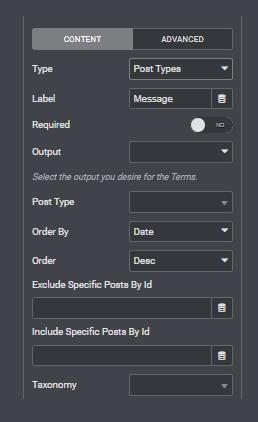
Set the Field Type to Custom Post Type Form Field, and you will be greeted by an extensive list of options and parameters to customize your upcoming menu.
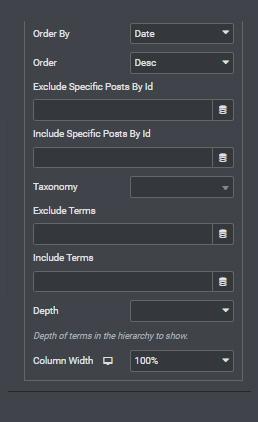
You can set the menu to return selection boxes, checkboxes, and radio options, all supporting multiple selection if needed. Order by Date, ID, Alphabetical Order, and according to the order in the menu.
Exclude or include specific posts by ID, or entire taxonomy terms in the respective fields.
All in all, a very versatile tool that adds to the already exhaustive Forms Extensions family.



Looking for a lifetime deal?