
Schema Control

Schema Control Allows you to create FAQ or How To Schemas easily.

watch the Schema Control tutorial

Schema Control Simplified

Schema Control will allow you to implement schemas to your pages and posts via Elementor and even use Dynamify to connect directly to Repeater Fields without a single line of code.

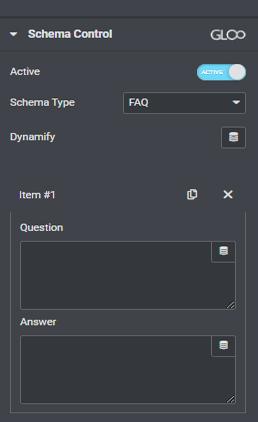
FAQ Schema.

Our Feature supports two different Schema Types. the first Schema Type is the Frequently Asked Questions (FAQ): it will allow Google to display your FAQs directly on the Google search page results.

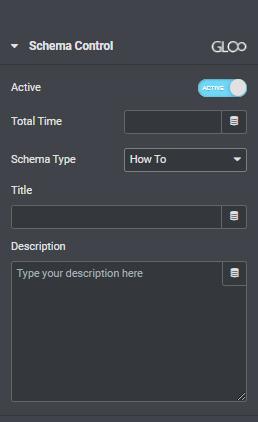
How To Schema.

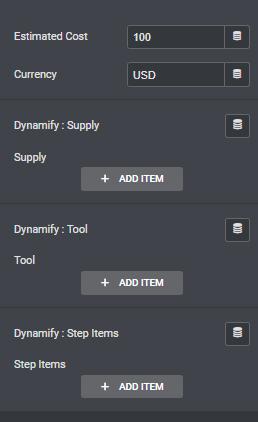
The second Schema Type is the HOW TO schema. The How-To schema will allow you to create “How To” instructions as a rich snippet on the Google search page. These powerful features make implementing schemas extremely easy and will contribute greatly to your website’s credibility.

Reviews Schema.

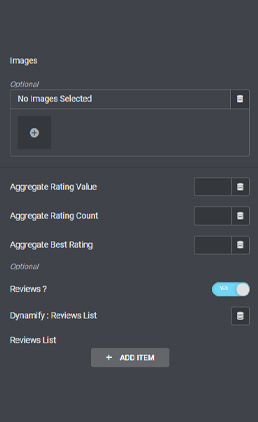
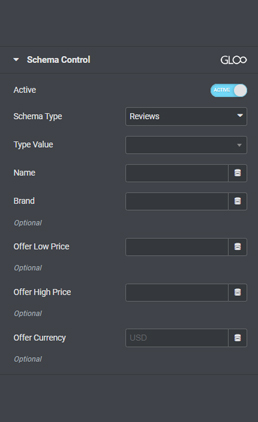
Schema Control allows for a third extremely useful schema which will let you display reviews on the Google search page results for your website. It’s as easy as selecting the type of the product of service that’s being offered and setting up the reviews.

We can do this by entering the data manually, by using dynamic tags in each field, or using Dynamify to call back to existing reviews from a repeater source.


Frequently Asked Questions

Schema Control is a feature that allows you to implement schemas to your pages and posts via Elementor without any coding knowledge.
Schema Control supports three different types of Schema: FAQ Schema, How-To Schema, and Reviews Schema.
FAQ Schema is a Schema type that allows Google to display your frequently asked questions directly on the Google search page results.
How-To Schema is a Schema type that allows you to create “How To” instructions as a rich snippet on the Google search page.
Reviews Schema is a Schema type that allows you to display reviews on the Google search page results for your website.
THIS FEATURE IS PART OF :

More Modules

Checkbox & Radio Field Control
Color Picker Field New
Custom DB Value Dynamic Tag New
Fireberry (Powerlink) Form Submit Action
Globals Dynamic Tag
Keyframe Animator New
Google Spreadsheet Tag
GSAP Split Text
Autocomplete Address Fields
3D Model Widget
Image Cropping UI
Range Field New
Better Gallery Form Field New
Price+ Widget New
WooCommerce Related Courses Tag
Frontend Comment Submission New
Dynamic HTML Attrributes Repeater New
Checkout Anything Form Action
Query Control
Lottie GSAP Widget New